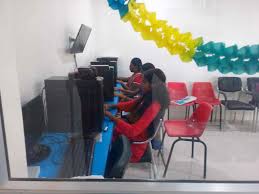
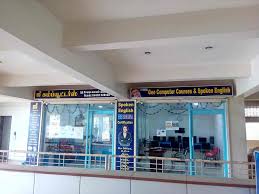
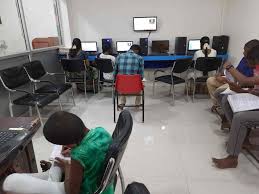
Join Gee Computers, Kovilpatti, and master Microsoft Power BI with our industry-ready, career-focused training program.At Gee Computers, Kovilpatti, we offer a structured, practical, and job-oriented curriculum designed to take you from beginner to expert.
Learn to collect, clean, model, analyze, and visualize data exactly like real-world BI professionals.
Module 1: Introduction to Power BI
(With hands-on orientation sessions at Gee Computers, Kovilpatti)
What is Power BI & why it’s widely used
Power BI Desktop vs Power BI Service
Installation & interface walkthrough
Understanding datasets, reports, dashboards
Module 2: Data Sources & Data Loading
(Practical exercises using datasets provided by Gee Computers, Kovilpatti)
Connecting Power BI to Excel, CSV, SQL, Web
DirectQuery vs Import mode
Data refresh basics
Data modeling foundations
Module 3: Power Query (ETL)
(Real data cleaning scenarios used in Gee Computers training lab)
Data cleaning, shaping & transformation
M-language basics
Merge & Append Queries
Handling missing & inconsistent data
Module 4: Data Modeling
(Model-building practice as taught at Gee Computers, Kovilpatti)
Relationships (1:1, 1:many, many:many)
Cardinality & cross-filter direction
Normalization vs star schema
Creating a robust data model
Module 5: DAX Fundamentals
(Foundational DAX techniques guided by Gee Computers trainers)
Calculated columns vs measures
Basic DAX functions (SUM, COUNT, DISTINCT)
Time intelligence basics
Row context & filter context
Module 6: Advanced DAX
(Advanced problem-solving sessions conducted at Gee Computers, Kovilpatti)
CALCULATE, FILTER, ALL
Date tables & advanced time intelligence
Variables in DAX
Performance optimization with DAX Studio
Module 7: Visualizations & Reports
(Design interactive reports using templates from Gee Computers lab)
Using charts, tables, matrix, cards
Custom visuals & marketplace
Slicers, filters, bookmarks
Drillthrough & drill-down reports
Module 8: Dashboard Design Principles
Dashboard design best practices followed at Gee Computers, Kovilpatti)
Designing interactive dashboards
Effective layout & visual hierarchy
KPI creation & storytelling with data
Best practices for business reports
Module 9: Power BI Service
(Cloud publishing sessions at Gee Computers)
Publishing reports online
Creating dashboards
Workspaces & apps
Sharing & permissions
Module 10: Power BI Automation
(Automation examples used in Gee Computers training projects)
Scheduled refresh
Dataflows
Auto insights & AI visuals
Power Automate integration
Module 11: Power BI & Excel Integration
(Excel-BI combined workflows taught at Gee Computers, Kovilpatti)
Analyze in Excel
PivotTables with Power BI datasets
Excel as a data source
Combining BI workflows
Module 12: Row-Level Security (RLS)
(Real-world role-based security scenarios from Gee Computers projects)
Static & dynamic RLS
Security roles & permissions
Testing and validating RLS
Module 13: Project: End-to-End BI Solution
(Capstone project based on a real business case from Gee Computers, Kovilpatti)
Collect → Clean → Model → Visualize → Publish
Real-world business use case
Final dashboard presentation
Module 14: Interview Prep & Career Guidance
(Career-focused sessions conducted by Gee Computers experts)
BI developer interview questions
Portfolio creation
Resume optimization for analytics roles
Module 15: Best Practices
(Industry-standard best practices taught with real examples at Gee Computers, Kovilpatti)
Data modeling best practices
Performance optimization
Visualization best practices
Start Your Career Today!
"Join our Data Analytics and Visualization program with Advanced Excel and Power BI at Gee Computers, Kovilpatti and take the first step toward a rewarding data-driven career!"